
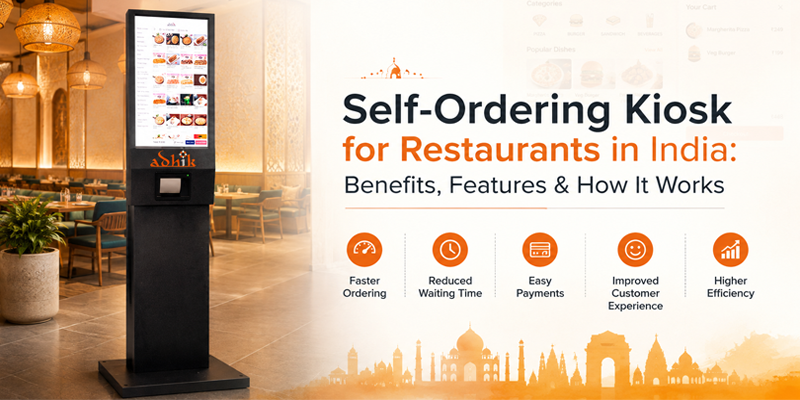
The restaurant industry is rapidly adopting technology to improve customer experience and simplify daily operations. One of the useful innovations is the self-ordering kiosk, which allows customers to browse a digital menu, customise their orders, make payments and complete the ordering process without depending entirely on a cashier.
For restaurants, cafés, QSRs, food courts, bakeries and other high-footfall businesses, a self-ordering kiosk in India can help reduce queues, improve order accuracy, support digital payments and create a smoother ordering experience.
With customers expecting faster and more convenient service, self-service ordering technology is becoming an important part of modern restaurant operations.
A self-ordering kiosk is a touchscreen-based ordering system that enables customers to place orders independently. Instead of waiting at a traditional billing counter, customers can interact with the kiosk, select products or meals, customise their choices and proceed with payment.
A typical restaurant self-ordering kiosk can display:
Depending on the setup the kiosk can also integrate with the restaurant’s POS billing software, payment system, inventory system and kitchen display system.
The ordering process is simple and customer-friendly.
Step 1: Browse the Digital Menu
Customers approach the kiosk and view the restaurant’s menu on the touchscreen. Categories such as burgers, pizzas, beverages, desserts, combos and other products can be organized for navigation.
Step 2: Select and Customize Items
Customers choose their items and can select available options such as size, toppings, quantity, flavours, or other modifications.
Step 3: Add Items
The kiosk can recommend complementary products, combo meals, beverages, desserts and add-ons before checkout.
Step 4: Review the Order
Customers can review their selected items, quantities, prices and applicable offers before confirming the order.
Step 5: Make Payment
The customer can complete the payment through supported payment methods such as UPI, cards or other available options.
Step 6: Order Goes to the Kitchen
Once the order is confirmed, it can be transferred to the restaurant’s POS or kitchen workflow reducing the need for order entry.
This type of integration helps create an ordering process between the customer, billing counter and kitchen.
1. Reduce Customer Waiting Time
Long queues can negatively affect the customer experience during lunch hours, weekends and peak periods. A self-service ordering kiosk allows multiple customers to place orders independently, helping restaurants manage higher order volumes.
This can be particularly useful for QSRs, food courts, cafés and restaurants with high footfall.
2. Improve Order Accuracy
Traditional ordering often involves communication between customers and staff. Miscommunication can result in items being missed, customisations being missed, or wrong quantities.
With a restaurant self-ordering kiosk, customers enter their own selections directly into the system. This can help reduce errors and improve order accuracy.
3. Improve Customer Experience
Customers can browse the menu at their pace without feeling rushed. They can review ingredients, prices, available options and add-ons before placing an order.
A simple touchscreen interface can make the ordering process more convenient and interactive.
4. Increase Upselling Opportunities
An advantage of a digital ordering kiosk is the ability to display recommendations at the right stage of the ordering journey.
For example, the kiosk can suggest:
Unlike manual upselling, these recommendations can be displayed consistently for every customer.
5. Reduce Pressure on Counter Staff
A kiosk does not necessarily mean eliminating restaurant staff. Instead, it can help employees focus on food preparation, customer assistance, packaging, cleaning and order fulfilment.
During peak periods, this can help restaurants distribute workloads more effectively.
6. Support Digital Payments
Digital payments are a part of modern restaurant ordering. A self-ordering kiosk in India can be configured to support payment options such as UPI and cards depending on the payment integration.
This allows customers to complete their ordering and payment journey with staff assistance.
When selecting a solution, restaurants should consider both hardware and software capabilities. Important features include:
The most important factor is not simply the kiosk screen. It should work as part of the restaurant’s technology ecosystem.
Self-ordering technology is suitable for a variety of businesses including:
Counter ordering requires customers to communicate their requirements to a staff member, who then enters the order into the billing system.
Before investing in a self-ordering kiosk for restaurants, consider your business requirements.
Evaluate:
Adhik provides technology solutions designed to help businesses modernise their ordering and billing operations. Its self-ordering kiosk solution can help businesses create a digital ordering experience while supporting smoother restaurant operations.
For restaurants, QSRs, cafés, food courts and other businesses, a self-ordering kiosk can be part of a digital ecosystem that connects customer ordering with billing and operational processes.
A self-ordering kiosk can transform the way restaurants manage customer orders. From reducing queues and improving order accuracy to supporting payments and automated upselling, kiosk technology offers several advantages for modern food businesses.
As customers increasingly look for more convenient ordering experiences, restaurants in India can use self-service technology to improve both customer satisfaction and operational efficiency.
If your restaurant experiences queues, high order volumes or pressure on billing staff, implementing a restaurant self-ordering kiosk can be a practical step toward a more efficient ordering process.
Explore Adhiks Self-Ordering Kiosk. Discover how digital self-service ordering can help your business deliver smarter and more convenient customer experiences.
A self-ordering kiosk is a digital system that allows customers to browse menus, select products, customize orders and make payments without relying entirely on a cashier.
Yes. Depending on customer volume and available space, kiosks can be suitable for restaurants, cafés, bakeries, QSRs and other businesses.
Yes. Modern kiosk solutions can integrate with POS and restaurant management systems, allowing orders and menu information to move between systems.
Yes. Depending on the payment integration, customers can make payments through the kiosk using options such as UPI/ QR code, debit/credit cards, and other supported digital payment methods.
Self-ordering kiosks can be used by QSRs, restaurants, cafés, bakeries, food courts, corporate cafeterias and other high-footfall businesses.