
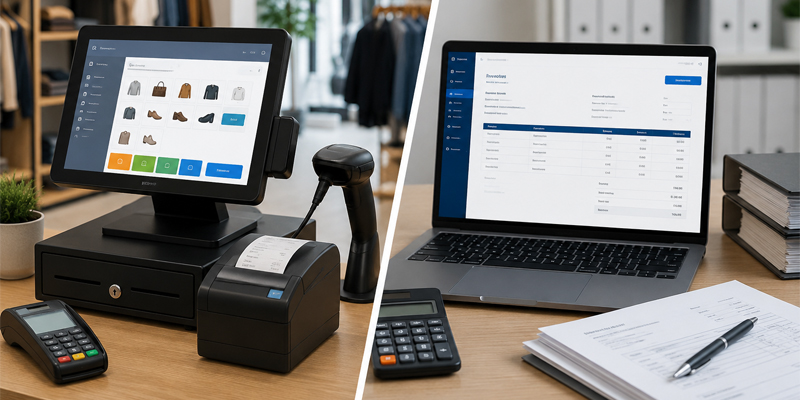
In today's fast-paced business world‚ software plays a major role in sales‚ customer experience‚ and operational processes․ Many business owners use the terms POS system and billing software interchangeably․ But while both are used to process sales transactions at a point of sale‚ they differ․
Understanding the difference between point of sale and billing software can help you choose the right solution for your business․ Whether you run a retail store‚ supermarket‚ restaurant‚ pharmacy‚ or service business‚ the right software can help you save costs and grow your business․
In this guide‚ we'll break down the difference between POS software and billing software‚ explain the main features of each type of software‚ and help you choose the right solution․
Billing software is a computer program for producing invoices and bills and tracking accounts receivable for a business or individual‚ replacing manual processes and enabling systematic recordkeeping․
Other business operations with a primary focus on invoicing and collecting payments may instead use billing software for running day-to-day operations․
Notable features of billing software
Users of billing programs also include service providers‚ freelancers‚ consultants‚ and small companies that do not need wide-ranging inventory or customer management features․
A Point of Sale (POS) system is a business management system that helps businesses manage their sales‚ inventory‚ customers‚ employees and business analytics through a centralized software platform․
The POS system serves as the backbone of the business‚ enabling real-time transaction monitoring and management․
Basic Components of a POS System
Benefits of a POS system․
The modern POS Software is suitable for retail stores‚ supermarkets‚ restaurants‚ pharmacies‚ apparel retail stores‚ electronics retail stores and growing businesses․
Though both systems help businesses process transactions‚ they have different functions․
1․ Purpose
2․ Inventory Management
3․ Sales Tracking
Business owners can monitor:
4․ Customer Management
5․ Reporting and Analytics
Such reports can inform future business decisions․
6․ Hardware Integration
It improves transaction speeds and operational efficiency․
7․ Business Scalability
8․ Employee Management
Billing software is best for:
Billing software is sufficient if your needs are limited to invoicing and processing payments․
A POS system is ideal for:
If you track inventory‚ manage customers‚ and have daily sales‚ you may be better off with a point-of-sale (POS) system․
These days‚ customers expect not just billing but also quick service‚ accurate transactions and personalised offerings
Modern POS systems help businesses by:
Improve Inventory Control
Real-time inventory management helps prevent shortages and overstocking․
Increase Sales Efficiency
Faster billing and checkout processes reduce customer wait times and improve satisfaction․
Gain Actionable Insights
Business intelligence reports help identify new opportunities and improve efficiency․
Enhance Customer Experience
Customer loyalty programs and tracking purchase history helpto personalize service․
Support Business Expansion
POS systems can be managed and scaled up to multiple stores from one dashboard․
As businesses grow‚ the limitations of simple billing software become apparent and POS systems are adopted․
Billing software and point of sale (POS) systems help businesses complete a sales transaction․ However‚ while billing solutions tend to focus on invoicing and payment processing‚ POS systems also have inventory management‚ customer management‚ sales reporting and analytics‚ and the ability to manage business operations․
In general‚ a new‚ modern POS system will be faster‚ provide better service to customers‚ and be easier to upgrade as the business grows․
If you are looking for powerful POS features to issue bills‚ manage stock‚ track sales and grow your business‚ Adhik is advanced POS software solution for your business․
Get in touch with Adhik today to discover how the right POS system can help streamline your operations‚ increase profitability and improve your customer experience․